

Every site photo, findable in seconds.Every client, kept in the loop.
Your crew uploads from their phones. Propbite tags every photo so you can search it in your own words, and gives your clients a live view of progress in their language.
Start free on your first project · No credit card required
Your crew joins by scanning a QR code — no app to install.
Your site photos, finally searchable.
Construction projects generate thousands of photos. Propbite uses AI to auto-tag every one as it's uploaded and makes it instantly searchable in your own words — so finding the right photo later takes seconds, not an afternoon of scrolling through folders.
Every photo, tagged automatically
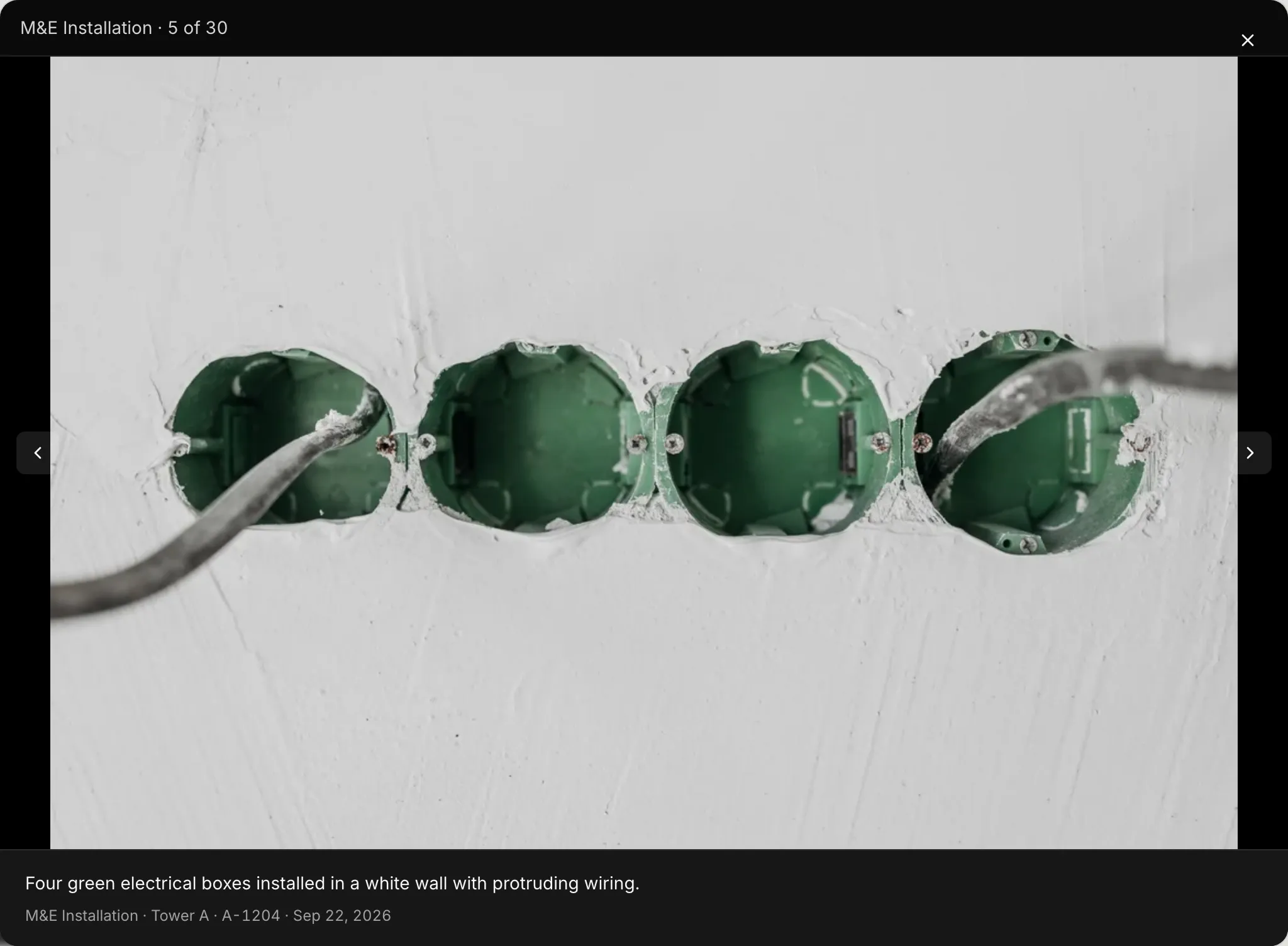
Snap a photo from the site and upload it. Propbite's AI identifies the objects in it automatically — no manual tagging or folder sorting.
Search in your own words
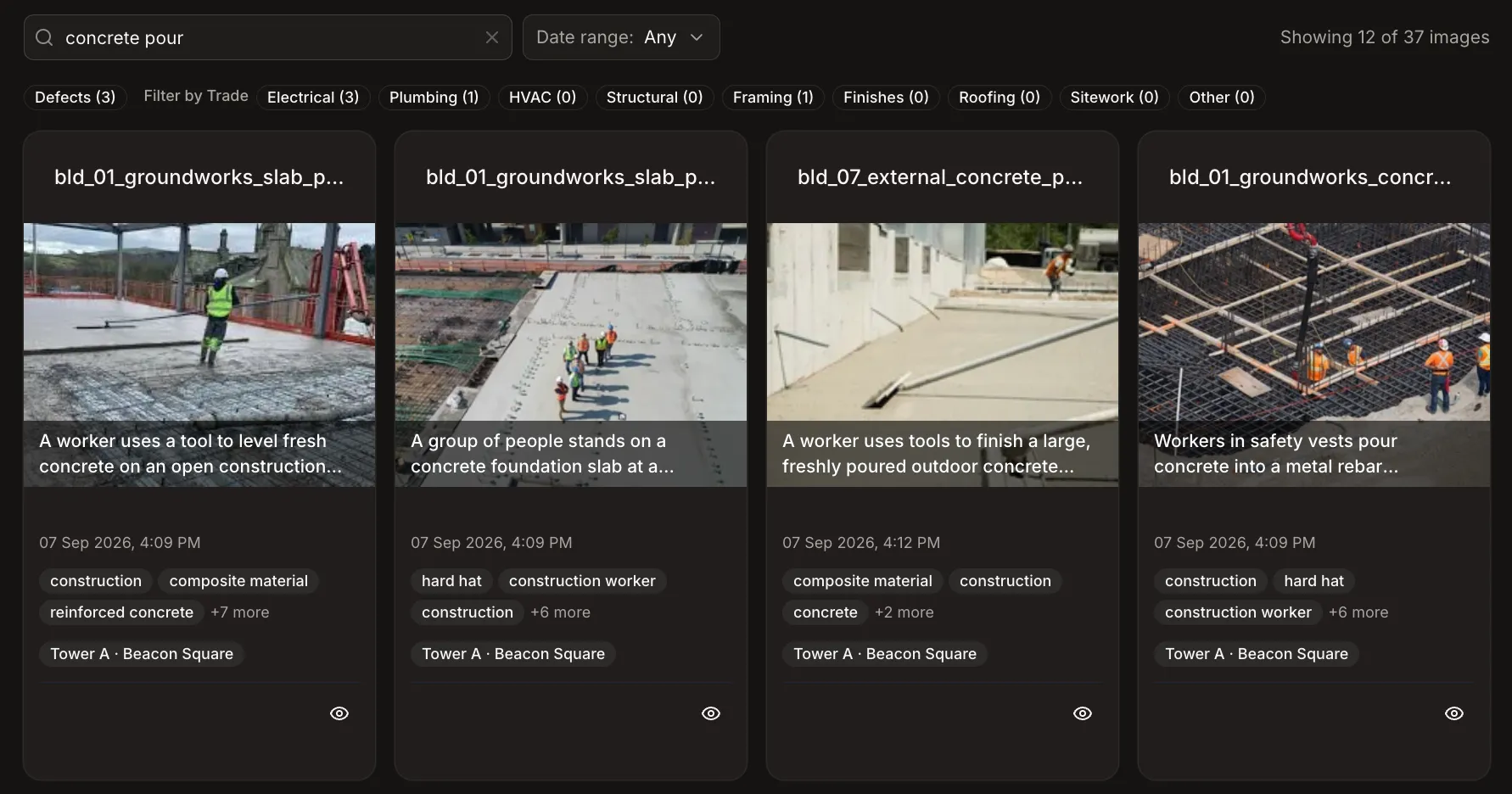
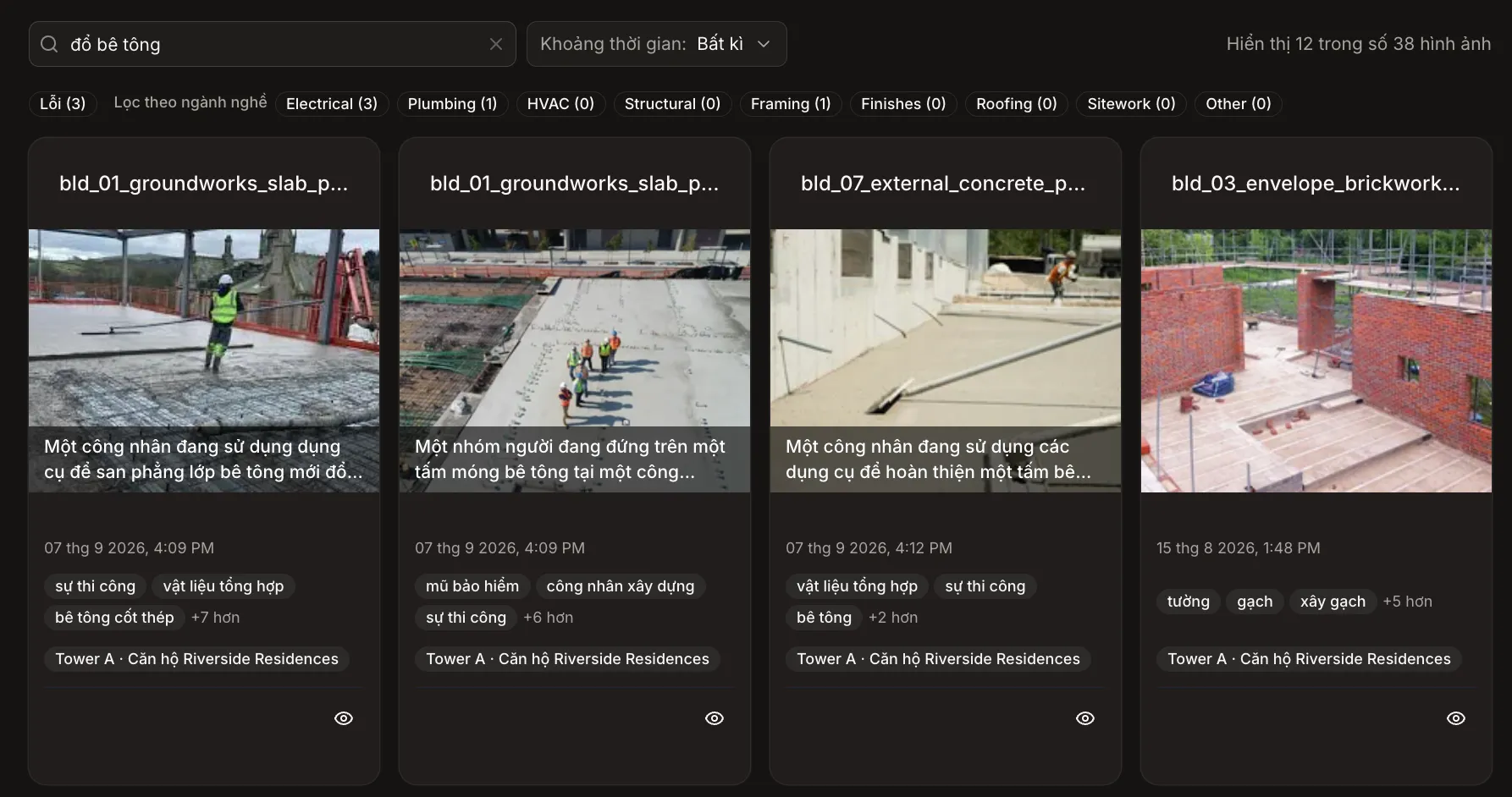
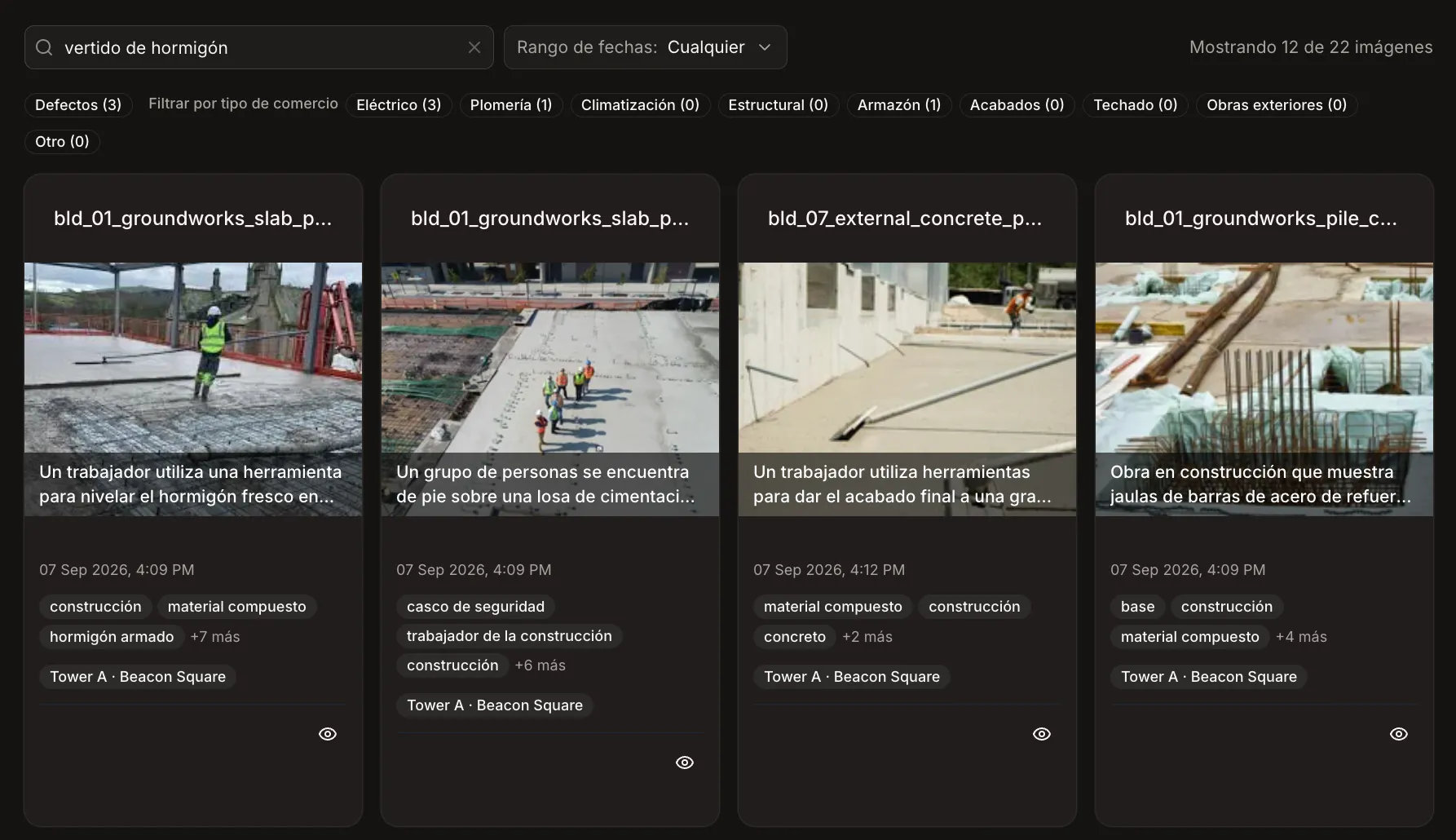
Nobody remembers which folder the foundation photos are in. Search "concrete pour" and get them — no tags, no filenames, no date-hunting.
A searchable history of the whole build
Every upload becomes part of a permanent, searchable record, tied to the milestone and date it was taken. When a subcontractor dispute or compliance check comes up, the evidence is already there.
Built with multilingual field crews in mind, bridging communication gaps for diverse, multinational teams and sub-contractors.
See it in action
A closer look at the gallery and tagging tools your team will use every day.
Your documents, read for you
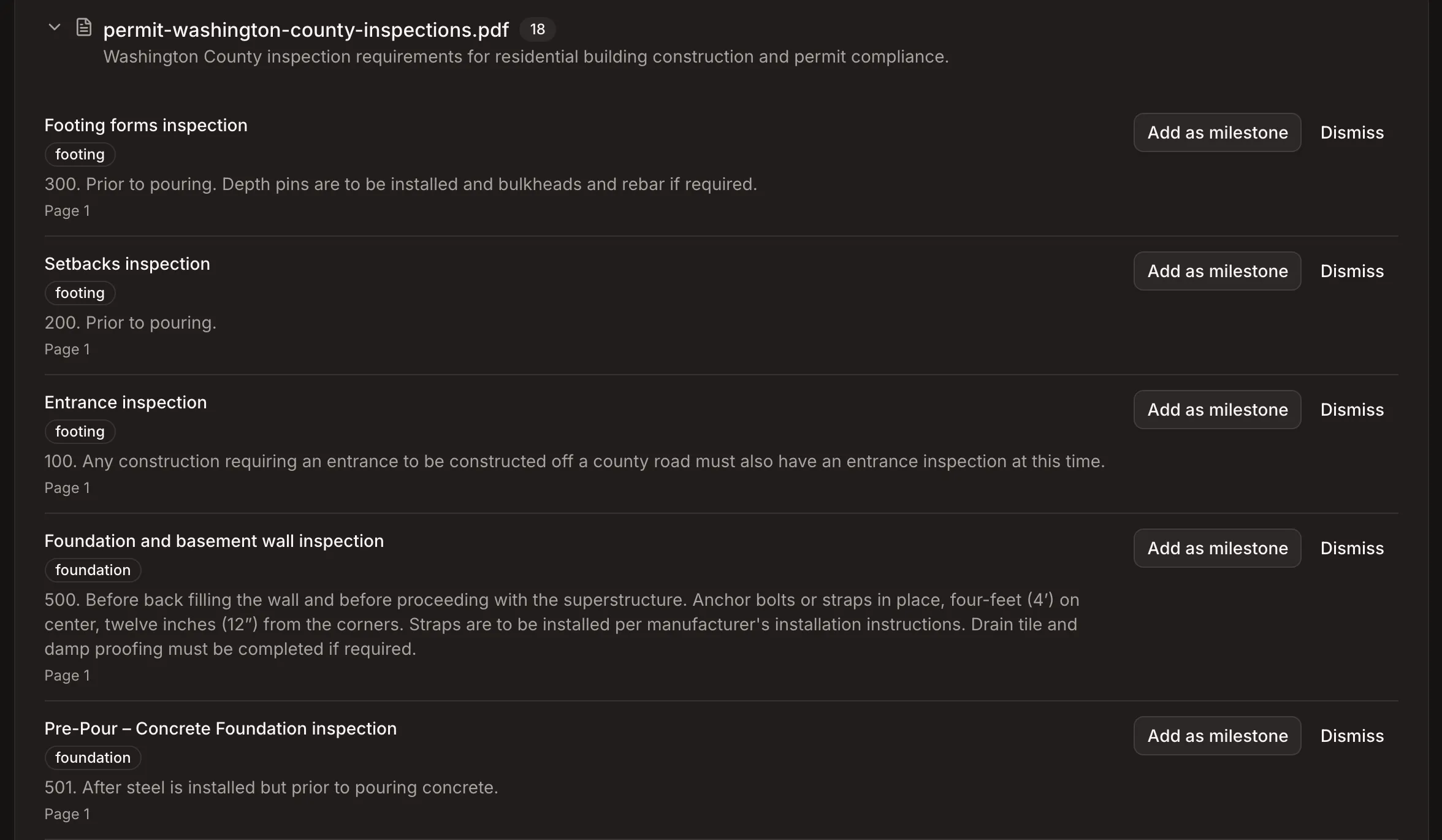
Add permits, drawings, guides and checklists to a project, building or space. Propbite reads every page, so the right detail is never buried in a PDF.
Search inside every document
Find the right permit, drawing or spec by what's in it, in your own words. Documents turn up alongside your photos when you search.
Milestones suggested for you
Add a permit and its required inspections become suggested milestones. Add an installation guide or checklist and its steps become the photos to take. Accept only the suggestions you want.
Everything you need to run the job
Milestones and photos in one place — built for how builders and contractors actually work.
Milestone tracking
Plan project phases, assign owners, and track completion against schedule — one view per project.
AI photo tagging
Upload site photos and let AI tag the objects in them automatically. Zero manual sorting.
Semantic photo search
Find any photo just by describing it in your own words, not just exact keyword matches.
Team collaboration
Add your crew, subcontractors and clients, and choose which projects each one can see.
Built for multilingual teams
Work in your team's own language, across every project and every job site.
Project timeline view
See every milestone and upload plotted against your schedule, across every active project.
How it works
From groundbreaking to handover, in four steps.
Create a project & add documents
Add its permits, guides and checklists, and Propbite suggests the milestones to hit and the photos to take. Or lay them out yourself.
Upload photos from site
Snap photos on your phone as work progresses and upload them straight to the milestone.
AI tags everything automatically
Propbite recognizes objects in each photo, then indexes it for search.
Search instantly
Find any photo in seconds, whenever you need it — no digging through folders.
Skip the invite, scan to join
Generate a QR code for any project. Workers scan it, log in with Google, and start uploading site photos right away — no email invites, no accounts to set up.
Generate a QR code for any project. Workers scan it, log in with Google or LINE, and start uploading site photos right away — no email invites, no accounts to set up.
- Scoped to a single project — nothing else is visible
- Log in with Google, available in every country
- Log in with LINE, an app your crews already use
 Log in with Google
 Log in with LINE
Keep your buyers in the loop, without the calls
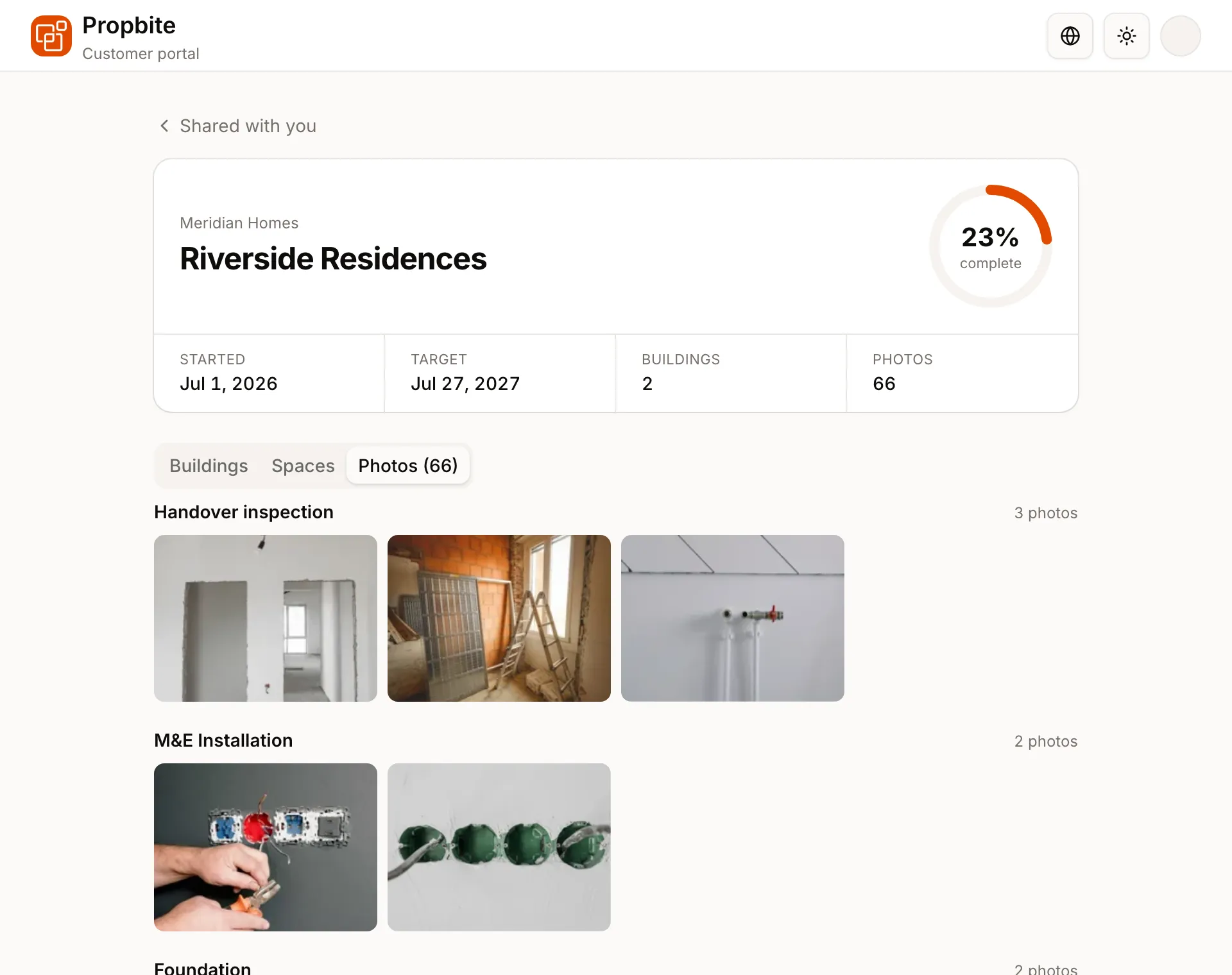
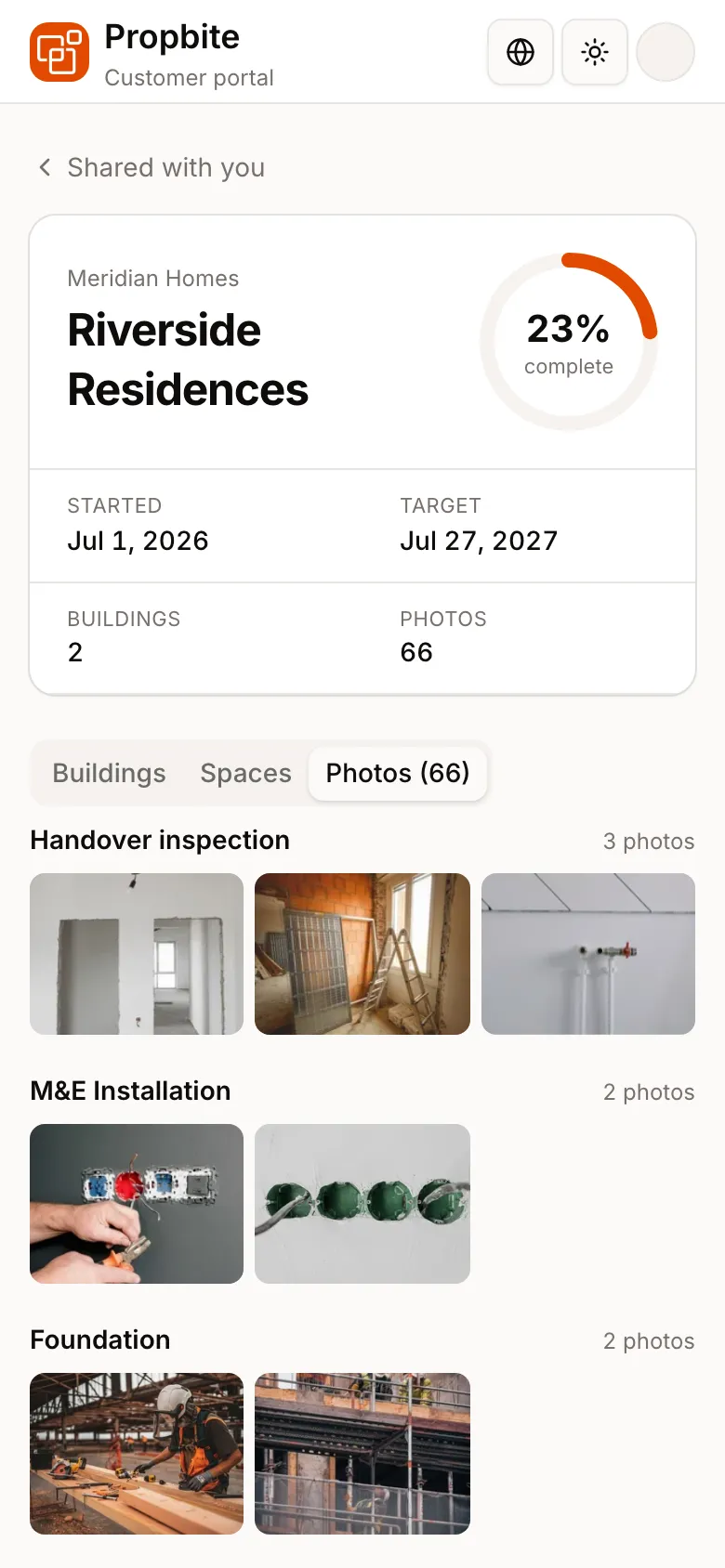
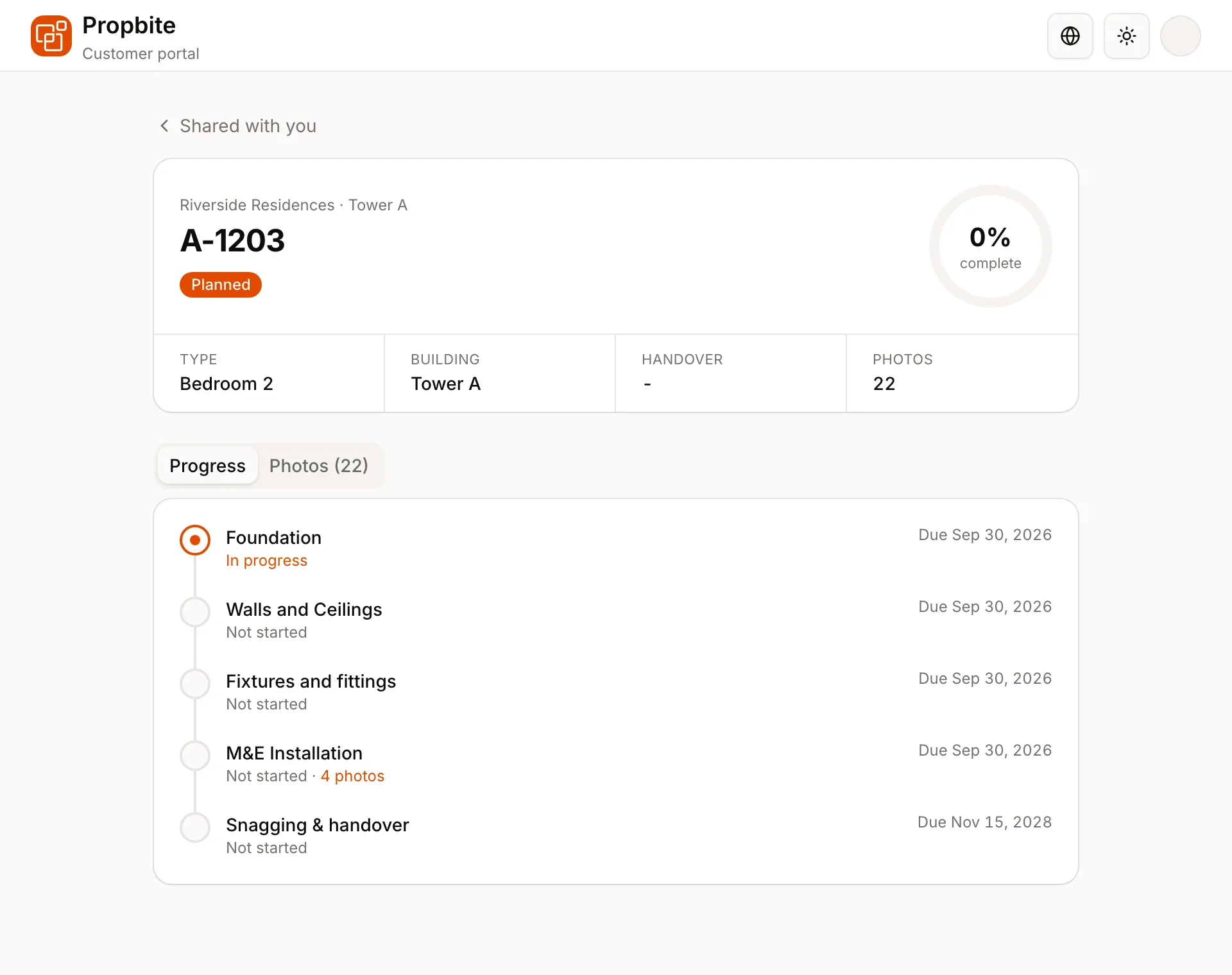
Invite buyers and clients to follow their project, building or space from any device. They see progress, milestones and the latest site photos in their own language, and nothing you haven't shared.
- Share a whole project, one building or a single space by email.
- Progress, milestone timelines and site photos grouped by milestone, always up to date.
- Hide any photo from customers. They never see prices or anything else in your organization.
- Customers don't take up a team seat, on any plan.
Photos that hold up when it matters
Every photo is sealed by an independent authority such as DigiCert soon after upload, together with the time and place recorded for it. If a client, insurer or lawyer ever questions a photo, you can prove it’s exactly what you uploaded, unchanged. No need to take our word for it.
Plans and pricing
Start free. Upgrade when your team needs more.
Try Propbite on a single active project.
$0
- 1 active project
- Up to 5 team members
- Customer portal with unlimited seats
- 5,000 photos, lifetime
- 25 documents, lifetime
Let's find the right plan for your team
Pricing varies by project scale and support needs in your region. Talk to our sales team and we'll put together a plan that fits.
Contact SalesFrequently asked questions
When you add a permit, Propbite reads it and suggests its required inspections as milestones. When you add an installation guide or checklist, its steps are suggested as the photos to take to show the work was done right.
Nothing is added to your project until you accept it. The first 50 pages of each document are read for suggestions.
Yes. Soon after each photo is uploaded, an independent timestamping authority such as DigiCert digitally seals it, along with the time and location recorded for it. From that moment, any change to the photo, its time or its location would break the seal.
To check, export your data from Propbite. The export includes each photo’s seal and simple instructions, so your lawyer, insurer or an independent expert can verify it themselves using standard tools. It doesn’t rely on trusting Propbite.
Stop losing track of job site photos.
Set up your first project and see AI photo tagging in action — free, no credit card required.